


The Shepherd's Pie Formula | Dinner Formula Builder + Printable Guide
- Regular price
-
$17.00 - Regular price
-
- Sale price
-
$17.00
Couldn't load pickup availability
Make shepherd's pie from whatever you already have.
Leftover turkey. A pound of ground beef. Half a bag of frozen peas. The Shepherd's Pie Formula shows you how to turn what's in your fridge, freezer, and pantry into a hot, cozy dinner, without hunting for a recipe that matches your ingredients.
This isn't a recipe collection. It's one simple method that works with almost any meat, any vegetables, and a handful of flavor directions. Learn it once, and you can make a different shepherd's pie every time.
What's included
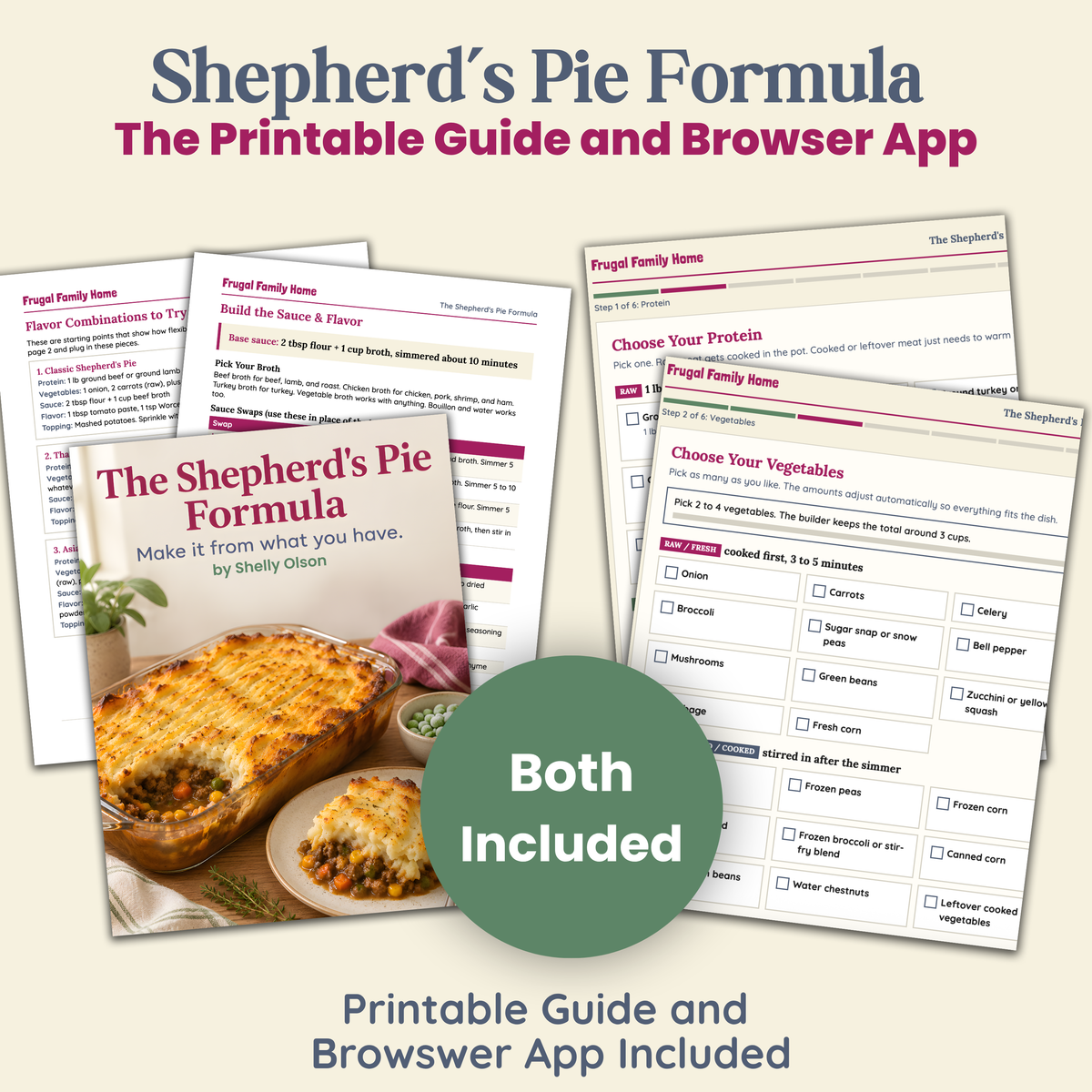
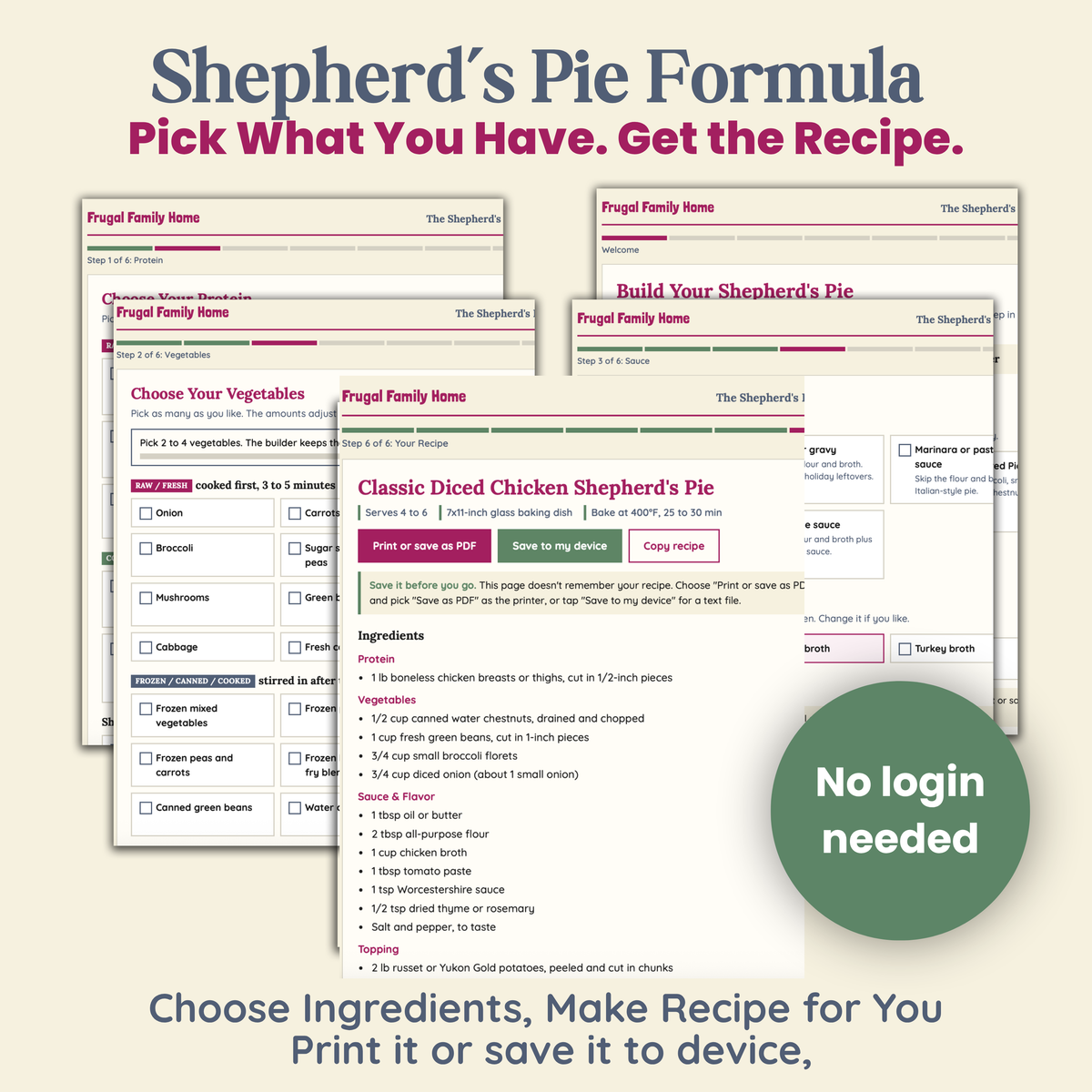
- The Shepherd's Pie Builder. An interactive tool that opens in any web browser. Pick your protein, vegetables, sauce, flavor, and topping, and it writes the full recipe for you, with every step in the right order. Print it or save it to your device.
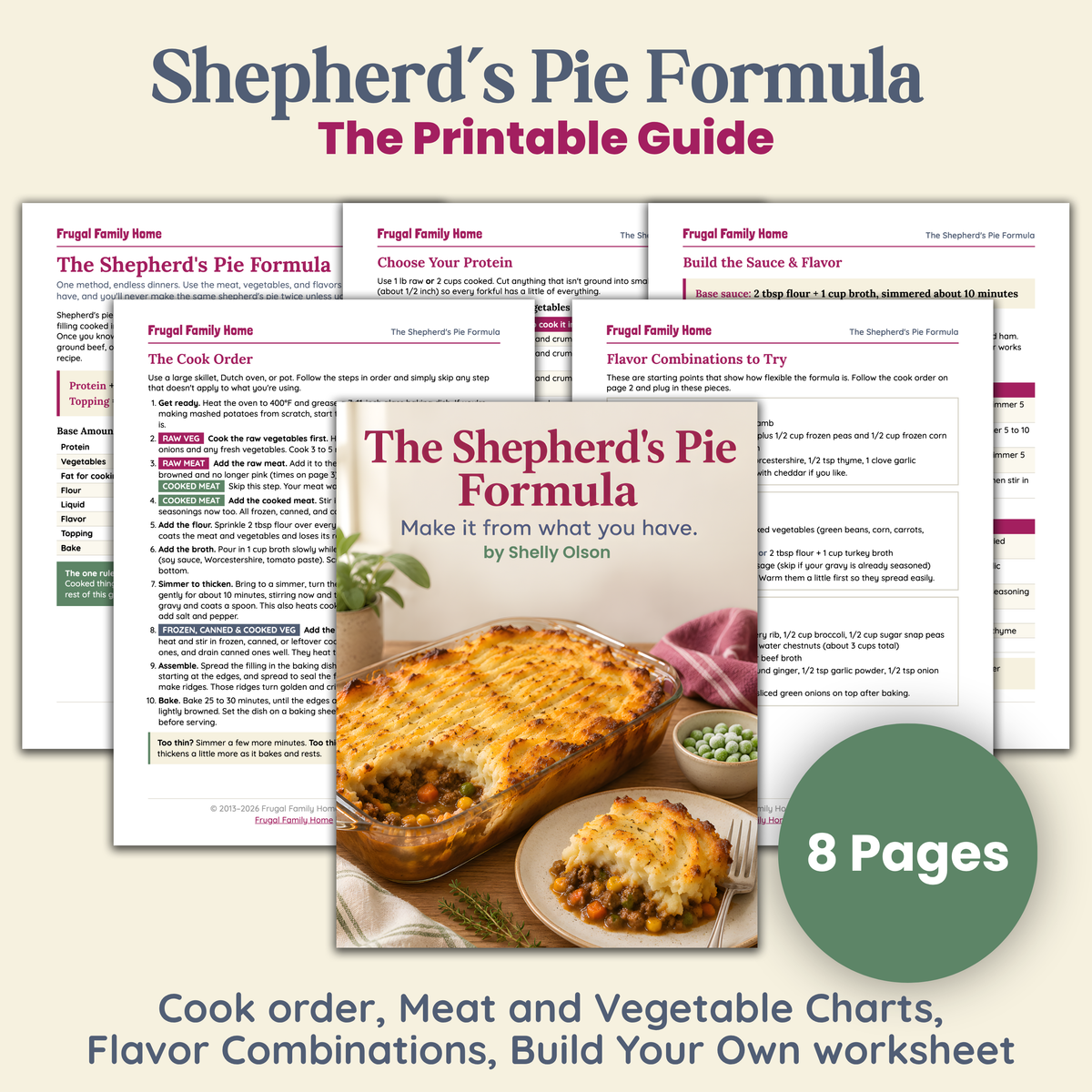
- The Shepherd's Pie Formula guide (8-page printable PDF). It covers the cook order, protein and vegetable charts for raw, cooked, frozen, and canned ingredients, sauce swaps, flavor builders, topping options, and make-ahead and freezer tips.
- 5 starter combinations to try first. Classic, Thanksgiving Leftovers, Asian-Inspired, Chicken Parmesan, and Taco, plus six more mix-and-match ideas.
- A Build Your Own worksheet. Fill it in from what's on hand.
How it works
Protein + Vegetables + Sauce + Flavor + Mashed Potato Topping = Dinner
The builder handles the part that usually trips people up: knowing what goes in the pot first. Raw meat and vegetables cook first. Cooked meat warms through. Frozen, canned, and leftover vegetables go in last so they don't turn mushy. Every recipe fits a 7x11-inch baking dish and serves 4 to 6.
Who it's for
- You have food that needs to be used up and want to make something good with it.
- You're tired of scrolling for a recipe that matches your ingredients.
- You want to cook with more confidence, not follow more recipes.
How you'll get it
This is a digital product. Nothing will be shipped. After checkout, you'll get a download link for the builder file and the PDF. Open the builder in any browser on your computer, tablet, or phone. No app or login needed.
FAQ
Do I need special ingredients?
No. It's built around what most kitchens already have: ground or leftover meat, everyday vegetables, broth, flour, and potatoes.
Can I use leftovers?
Yes. Leftover meat, vegetables, gravy, and mashed potatoes all work, and the builder adjusts the steps for you.
Is there a lower-carb option?
Yes. Choose cauliflower mash or a half potato, half cauliflower topping.
Does the builder save my recipes?
No. Print each recipe or save it to your device when you build it. You can come back and build as many as you like.


FAQ's
When Will I Get My Item?
Because this product is a digital product you'll receive it right after checkout.
There will be a download button right after checkout. You'll also receive an email with a download link also.
Downloading Tips
Computers and mobile devices vary greatly. And we are not able to offer you technical support. But we hope these download tips can help.
Below are download instructions that I hope can help if you need help with your download.
Please note that most mobile devices such as phones and ipads, and tablets, do not allow for downloading through a link.
So it’s best to download to your computer and then use iCloud or Dropbox to transfer the item to your mobile device.
Some products are sent using a compressed ZIP file and will need to be unzipped.
After you download locate your file…
Locate Your File
Your file should download into your downloads folder. Look for it in your downloads folder. If it is not there you may have your computer set to place your downloads into another area of your computer in your files. Do a quick search in your files, by date or name of the product to locate it.
Tips for unzipping a file…
On a Computer or Laptop
After you download the zipped file to your computer, locate it. It will usually land in your downloads folder or where you have directed it to download to.
After locating the file, right click and select the extract all option. If you are on a Mac, you might only have to double click the file to unzip it.
This creates a new file on your computer which you can open.
If you want to transfer the item to your mobile device you can add the opened file to iCloud or Dropbox and then they can be accessed on your mobile device.
If you have problems with this process on one browser, try a different browser. App and other add ons can make certain browser react oddly.
On a Mobile Device
We recommend downloading the file to a computer and then transferring it to your mobile device but if you want to download a zipped file onto your mobile device, you may need a free app to unzip it.
Before downloading search in your app store for a free app to unzip files. This will allow you to unzip the folder to access it.
Another option that may work on some devices is to long hold on the file and then click open or extract. That may work for you too.
All Files are in PDF Format...
You will need a PDF reader to view the files and most computers and devices have Adobe Reader preinstalled on them. Making it easy to view.
But if your device doesn’t have a pdf reader installed you will need one. Adobe Reader can be used an it’s free. Get it here.