


The Dinner Bowl Formula | Dinner Formula Builder + Printable Guide
- Regular price
-
$17.00 - Regular price
-
- Sale price
-
$17.00
Couldn't load pickup availability
Build a dinner bowl from whatever you already have.
Leftover rice. A pound of chicken. A few vegetables and something to drizzle on top. The Dinner Bowl Formula shows you how to turn what's in your kitchen into a complete meal, and how to change the sauce to make it taste like a different dinner every time.
This isn't a recipe collection. It's one simple formula that works with almost any base, protein, and vegetable. Change the sauce, change the bowl.
What's included
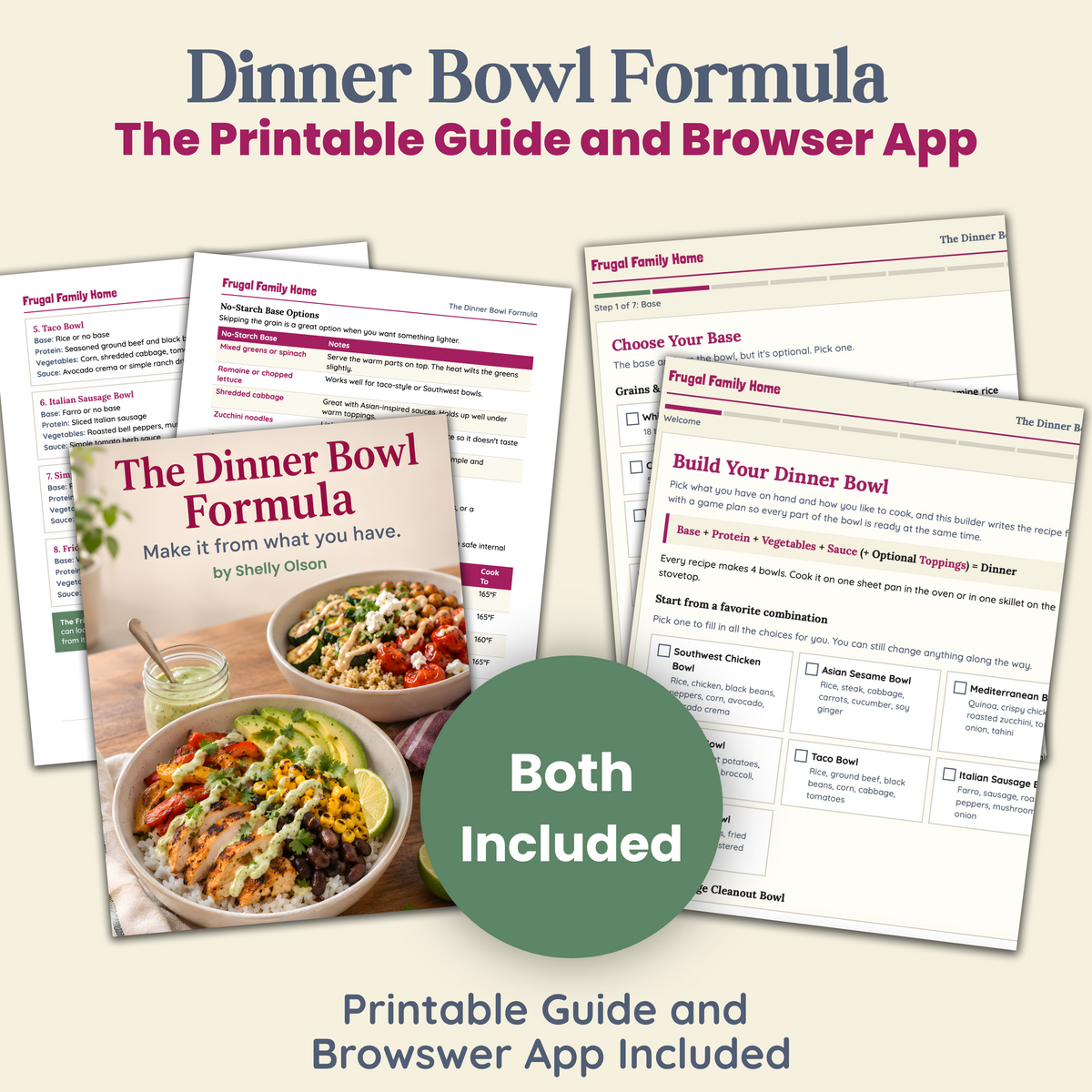
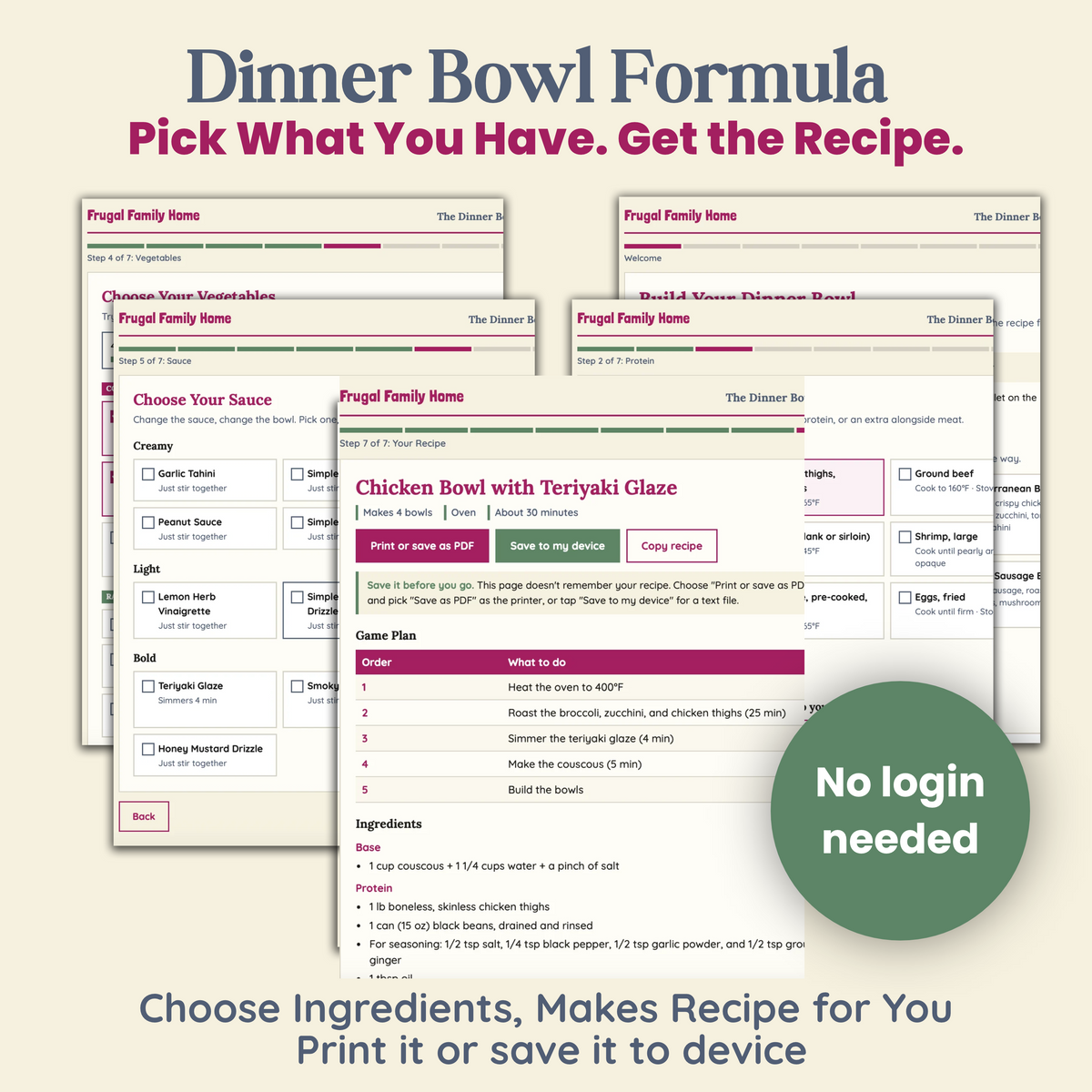
- The Dinner Bowl Builder. An interactive tool that opens in any web browser. Pick your base, protein, vegetables, sauce, and toppings, and choose to cook in the oven on one sheet pan or on the stovetop in one skillet. It writes the full recipe for you, with a game plan so every part of the bowl is ready at the same time. Print it or save it to your device.
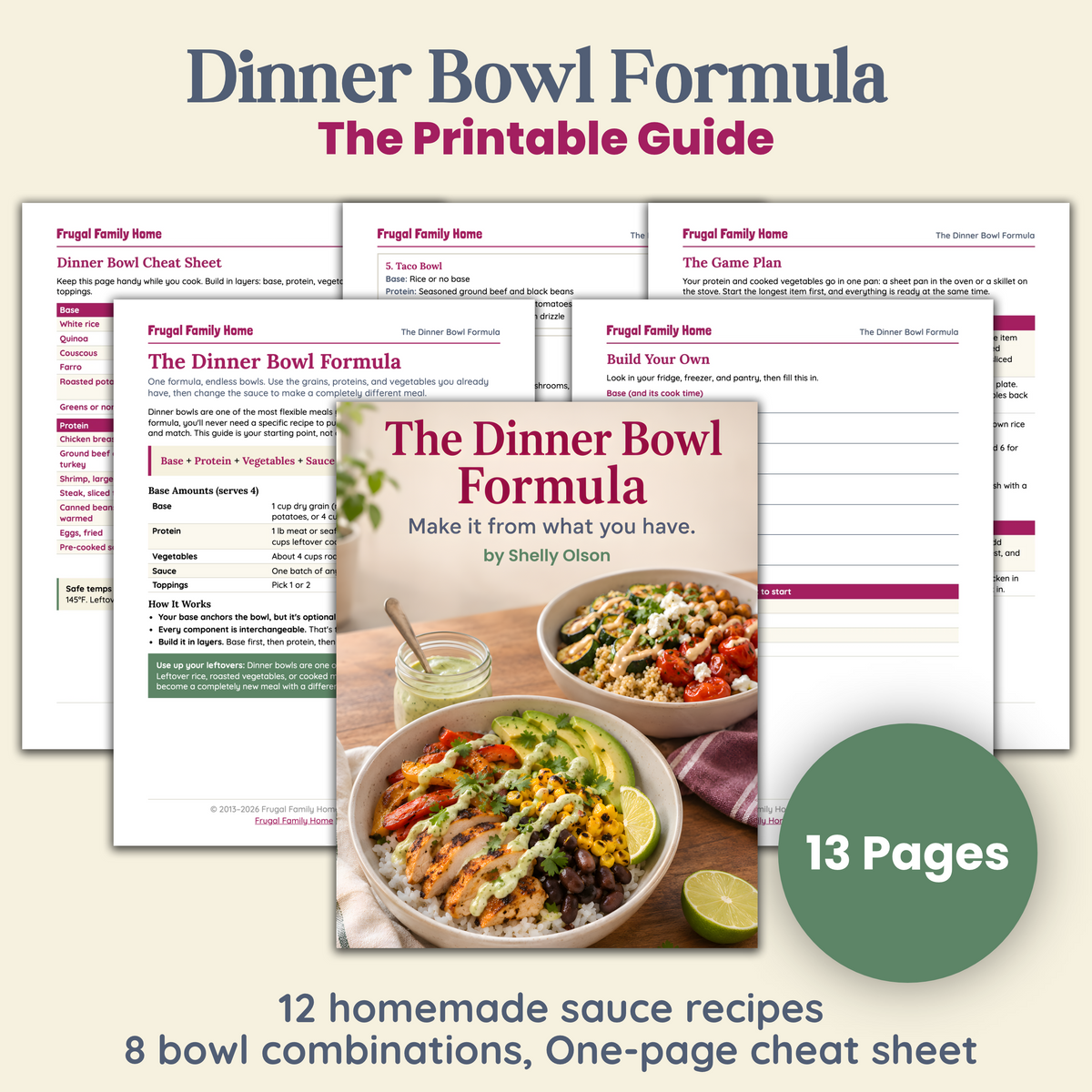
- The Dinner Bowl Formula guide (13-page printable PDF). It covers grain and no-starch bases with cook times, protein and vegetable times for the oven and stovetop, USDA safe temperatures, beans and other budget proteins, 12 homemade sauces, toppings, and a one-page cheat sheet.
- 8 bowl combinations that work. Southwest Chicken, Asian Sesame, Mediterranean, Harvest, Taco, Italian Sausage, Simple Egg, and the Fridge Cleanout Bowl.
- A Build Your Own worksheet.
How it works
Base + Protein + Vegetables + Sauce (+ Optional Toppings) = Dinner
Your protein and vegetables cook together in one pan while your rice or grains simmer. Make the sauce while things cook, then build the bowls in layers. Every recipe makes 4 bowls.
Who it's for
- You have leftovers and odds and ends that could become dinner if you knew how to pull them together.
- You want flexible meals that work with or without a grain.
- You'd like the same few ingredients to taste different from one night to the next.
How you'll get it
This is a digital product. Nothing will be shipped. After checkout, you'll get a download link for the builder file and the PDF. Open the builder in any browser on your computer, tablet, or phone. No app or login needed.
FAQ
Can I make a bowl without rice or grains?
Yes. Choose greens, shredded cabbage, zucchini noodles, or no base at all.
Can I use beans instead of meat?
Yes. Beans and lentils can be your main protein, or an add-on alongside meat.
Can I use leftovers?
Yes. Leftover rice, cooked meat, and vegetables all work. The Fridge Cleanout Bowl is built for exactly that.
Does the builder save my recipes?
No. Print each recipe or save it to your device when you build it. You can come back and build as many as you like.


FAQ's
When Will I Get My Item?
Because this product is a digital product you'll receive it right after checkout.
There will be a download button right after checkout. You'll also receive an email with a download link also.
Downloading Tips
Computers and mobile devices vary greatly. And we are not able to offer you technical support. But we hope these download tips can help.
Below are download instructions that I hope can help if you need help with your download.
Please note that most mobile devices such as phones and ipads, and tablets, do not allow for downloading through a link.
So it’s best to download to your computer and then use iCloud or Dropbox to transfer the item to your mobile device.
Some products are sent using a compressed ZIP file and will need to be unzipped.
After you download locate your file…
Locate Your File
Your file should download into your downloads folder. Look for it in your downloads folder. If it is not there you may have your computer set to place your downloads into another area of your computer in your files. Do a quick search in your files, by date or name of the product to locate it.
Tips for unzipping a file…
On a Computer or Laptop
After you download the zipped file to your computer, locate it. It will usually land in your downloads folder or where you have directed it to download to.
After locating the file, right click and select the extract all option. If you are on a Mac, you might only have to double click the file to unzip it.
This creates a new file on your computer which you can open.
If you want to transfer the item to your mobile device you can add the opened file to iCloud or Dropbox and then they can be accessed on your mobile device.
If you have problems with this process on one browser, try a different browser. App and other add ons can make certain browser react oddly.
On a Mobile Device
We recommend downloading the file to a computer and then transferring it to your mobile device but if you want to download a zipped file onto your mobile device, you may need a free app to unzip it.
Before downloading search in your app store for a free app to unzip files. This will allow you to unzip the folder to access it.
Another option that may work on some devices is to long hold on the file and then click open or extract. That may work for you too.
All Files are in PDF Format...
You will need a PDF reader to view the files and most computers and devices have Adobe Reader preinstalled on them. Making it easy to view.
But if your device doesn’t have a pdf reader installed you will need one. Adobe Reader can be used an it’s free. Get it here.